

Fixes and safety
Validated fixes
What happens to a finding after you approve it, through to the billing data that confirms the saving was real.
Each finding lands with evidence and an approve or reject decision. During an engagement, an architect prepares each approved change.
Your team reviews and merges the change through its own pipeline. Nothing writes to your estate automatically.
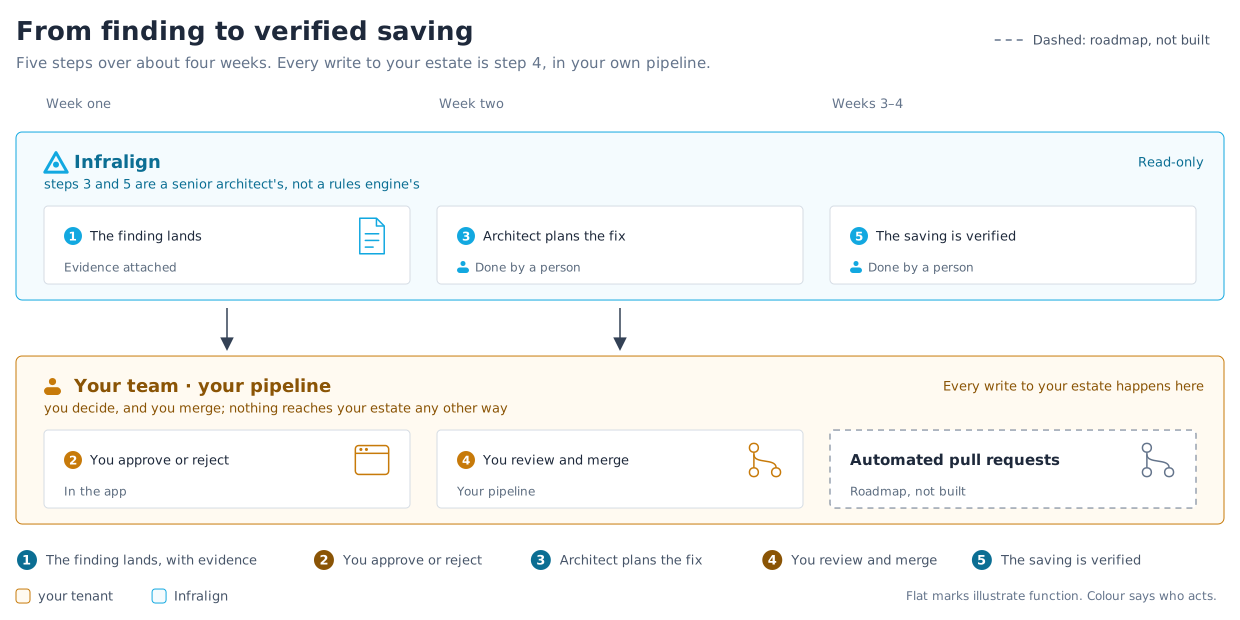
From finding to decision
Section titled “From finding to decision”Steps 1 and 2 of figure 1 happen in the app. Steps 3 to 5 are the engagement.
| Step | Actor | Observable outcome |
|---|---|---|
| 1. Finding lands | Infralign | The finding carries impact, evidence, owner, effort, risk, and next action. |
| 2. Approve or reject | Your team | The app records the decision. |
| 3. Plan the fix | Senior Azure architect | The plan addresses your architecture and policy constraints. |
| 4. Review and merge | Your team | The approved change passes through your pipeline. |
| 5. Verify savings | Infralign and the architect | Billing data shows the realised change against the baseline. |
See reading your audit report for the six decision fields.
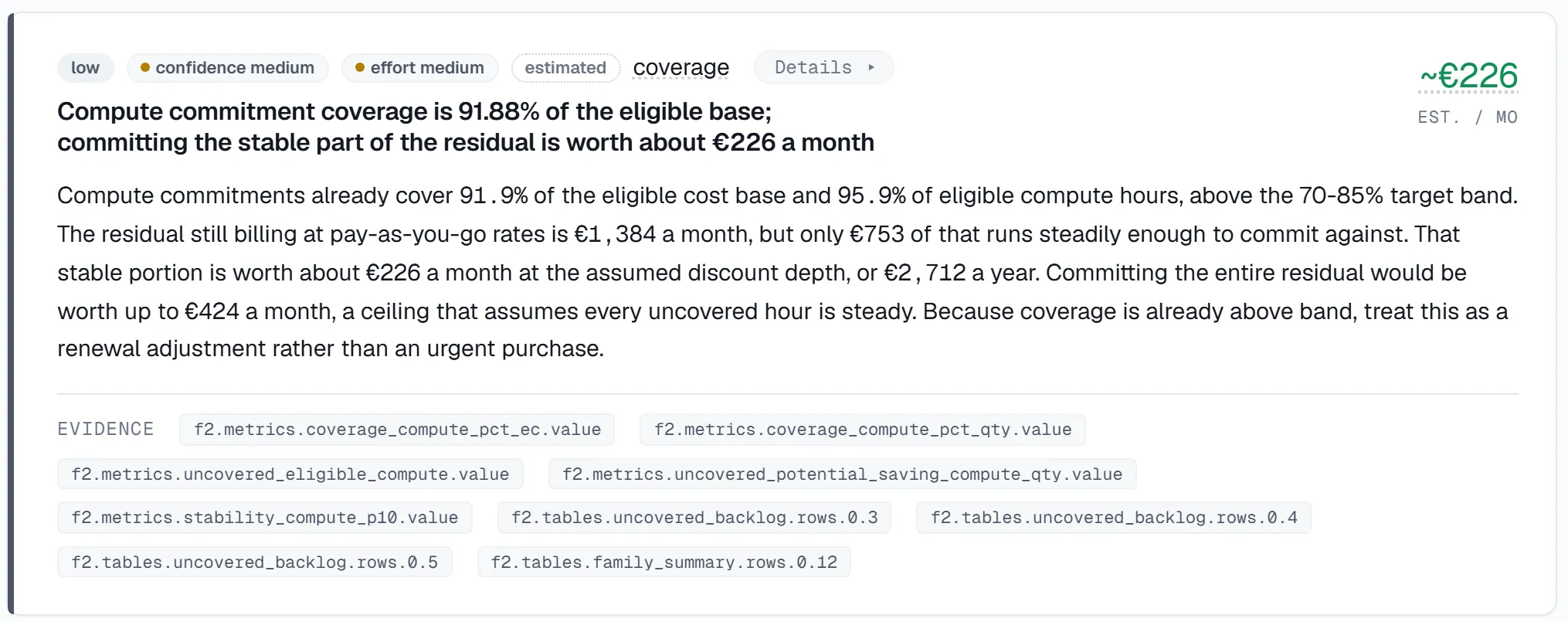
A real finding from NovaPulse, a real Azure estate with its identifiers replaced. The euros are that estate’s own.
Approve or reject each finding in the app’s Recommendations workflow. Every finding there carries an estimated saving, a confidence level, a risk level and a decision status. The tabs separate what is still pending from what your team has already approved or rejected.
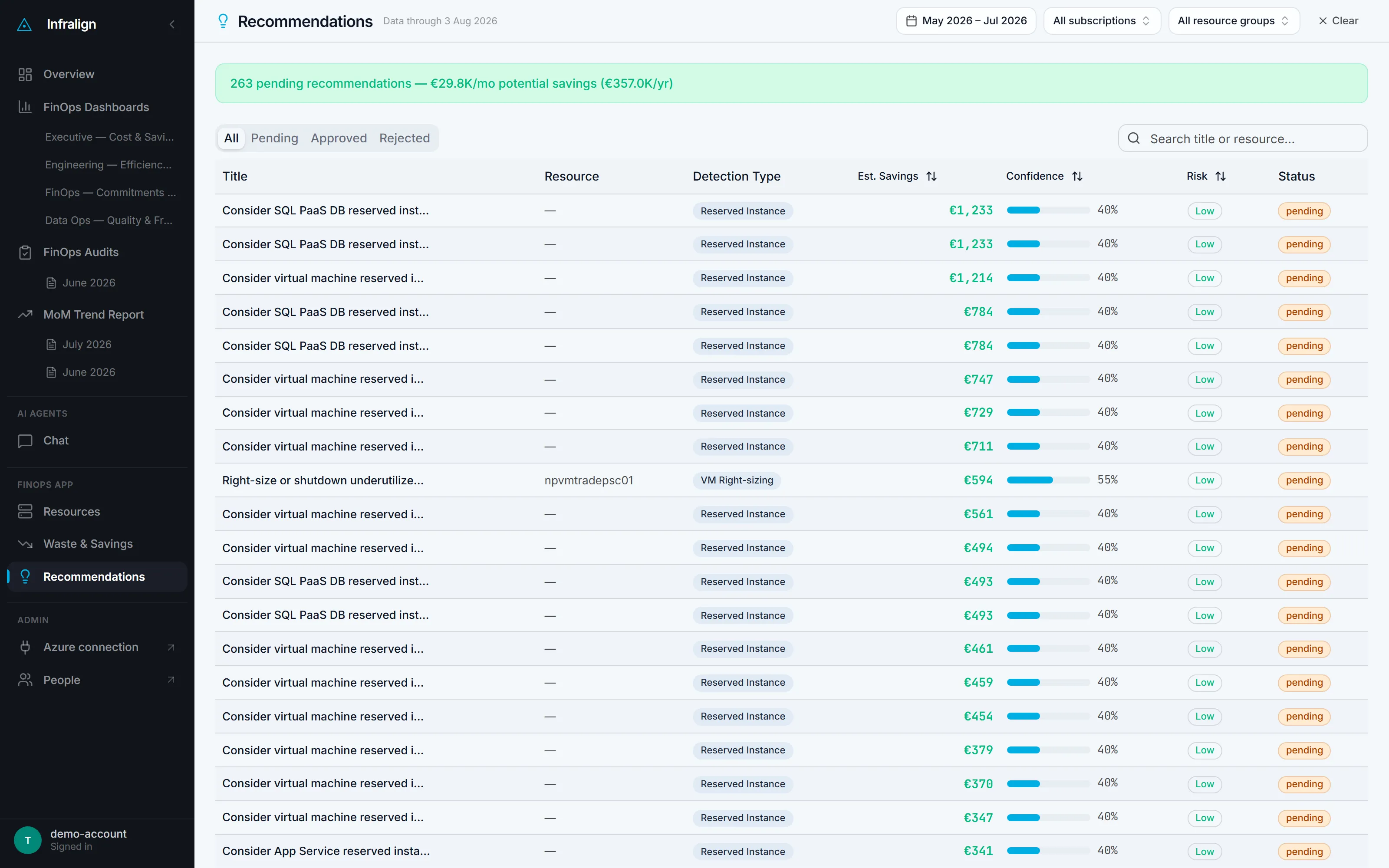
The decision list from the same estate, captured 4 August 2026.
Read that €29.8K as candidates, not savings: it is Azure Advisor’s raw list at retail rates. The sample audit sizes the same estate at €226 a month because it ran from the cost record alone, with no tenant access. Expert review is what moves a line from the first number to the second.
Done when the finding shows the selected decision.
How approved changes are delivered
Section titled “How approved changes are delivered”During an engagement, a senior Azure architect designs each approved change plan. The plan can include infrastructure as code.
The architect validates the plan against your policy and architecture constraints. Your team then reviews and merges it through your pipeline.
This is what an engagement buys. See the track record. Infralign-generated pull requests are roadmap, not built, as figure 1 shows.
Where Teams fits
Section titled “Where Teams fits”If you asked Infralign to wire up a Teams channel in your own Microsoft 365 tenant, it receives the monthly summary and cost alerts. Nothing is posted unless you ask.
Teams carries operational notifications only. Make approve and reject decisions in the app.
The cadence
Section titled “The cadence”Infralign verifies savings against the billing data used by your dashboards.
Done when the realised cost change reconciles with the agreed baseline.
Your team’s merge is the last of three gates. The safety model covers the two that run before a change plan ever reaches them.